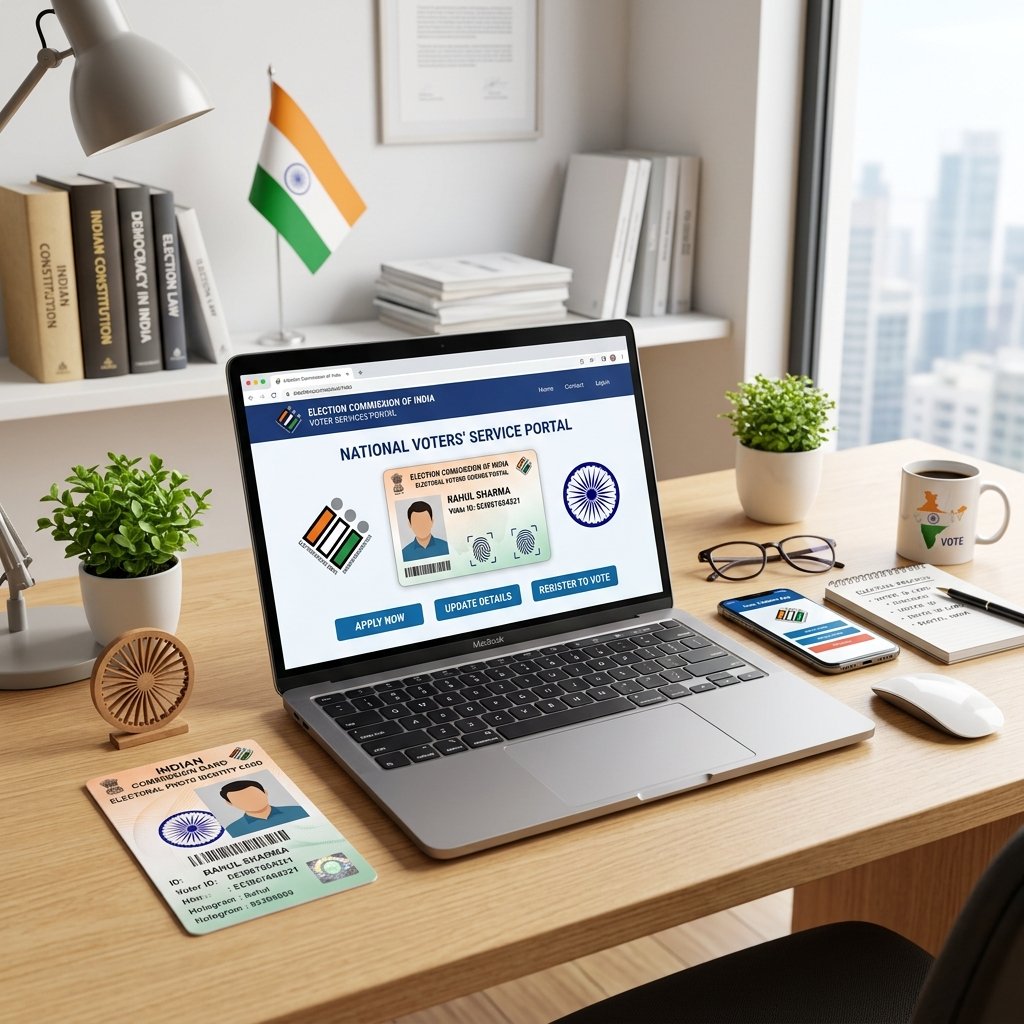
In the vibrant democracy of India, casting a vote is both a fundamental right and a civic duty. To exercise this right, every eligible citizen must possess a valid Voter ID Card. Managed by the Election Commission of India (ECI), this crucial document is not just a ticket to the ballot box but also serves as a universally accepted proof of identity and address across the country.
Whether you are turning 18 and looking to register for the first time, shifting to a new city, or needing to fix a spelling mistake in your name, the ECI has completely digitized the process through the Voters' Services Portal. In this comprehensive 2026 guide, we will walk you through exactly how to apply for a new Voter ID card, correct existing details, download your digital e-EPIC, and perform various electoral services both online and offline.
Table of Contents
- What is a Voter ID Card?
- What is EPIC Number?
- Features & Benefits of Having a Voter ID
- Eligibility for Voter ID Registration
- Documents Required for Voter ID
- How to Apply for a New Voter ID Card Online
- How to Apply Offline
- Voter Registration Forms Explained
- Voter ID Application Fees
- How to Check Application Status
- How to Download e-EPIC (Digital Voter ID)
- How to Search Your Name in the Electoral Roll
- Voter ID Correction Overview
- How to Correct Voter ID Online & Offline
- How to Change Address in Voter ID
- Duplicate Voter ID Card
- Voter ID Processing Time
- Voter ID vs Aadhaar & PAN Card
- Frequently Asked Questions (FAQs)
What is a Voter ID Card?
Voter ID Card Full Form
The full official form of the Voter ID card is Electors Photo Identity Card (EPIC).
What is EPIC Number?
The EPIC Number is a unique, 10-character alphanumeric code printed on the top of your Voter ID Card. It acts as your permanent voter identification number. It is used to track your electoral roll status, download your e-EPIC, and cast your vote on election day.
Features of Voter ID Card
- Contains a unique EPIC number.
- Includes a hologram sticker to prevent forgery.
- Displays the elector's photograph, name, relative's name, gender, and date of birth.
- Displays the permanent residential address and the assembly constituency.
Benefits of Having a Voter ID
- Right to Vote: The primary benefit is exercising your democratic right in elections.
- Identity Proof: Universally accepted as a robust proof of identity and age.
- Address Proof: Widely accepted by banks, passport offices, and government agencies.
- Registration: Helps in registering for other essential documents like a Domicile Certificate or Passport.
Eligibility for Voter ID Registration
To register as a voter in India, you must fulfill the following criteria set by the ECI:
| Eligibility Factor | Requirement |
|---|---|
| Citizenship | Must be a citizen of India. |
| Minimum Age | Must be 18 years of age or older on the qualifying date (typically Jan 1, April 1, July 1, or Oct 1 of the year). |
| Residence | Must be an "ordinary resident" of the polling area/constituency where you wish to enroll. |
| Disqualification | Must not be disqualified from voting due to corrupt practices or mental unsoundness under the law. |
Documents Required for Voter ID
When applying for a new Voter ID, you need to upload clear, scanned copies of supporting documents.
| Category | Accepted Documents |
|---|---|
| Proof of Identity & Age | Birth Certificate, Aadhaar Card, PAN Card, Driving License, Class 10/12 Marksheet, Indian Passport. |
| Proof of Address | Aadhaar Card, Water/Electricity/Gas Bill (recent), Bank Passbook, Indian Passport, Registered Rent Agreement. |
| Photograph | Recent passport-size color photograph (white background preferred). |
Expert Tip: You can use the free Photo Editor to crop and resize your photograph and documents to meet the exact MB size requirements of the ECI portal.
How to Apply for a New Voter ID Card Online
The ECI has made the registration process completely online and hassle-free through the Voters' Services Portal.
- Visit the official portal: voters.eci.gov.in.
- Click on "Sign Up" if you are a new user. Enter your mobile number, verify via OTP, and create a password.
- Log in and click on "Fill Form 6" (Application for New Voter Registration).
- Select your State, District, and Assembly Constituency.
- Fill in your personal details, relative's details, and contact information.
- Upload your scanned photograph, Proof of Age, and Proof of Address.
- Enter your declaration (Date and Place) and fill out the Captcha.
- Review the form and click "Submit". You will receive an Acknowledgement Reference Number.
How to Apply Offline
- Visit your nearest Electoral Registration Office (ERO) or Booth Level Officer (BLO).
- Ask for a physical copy of Form 6.
- Fill out the form using a black or blue pen.
- Attach self-attested photocopies of your age and address proofs, along with a passport-sized photograph.
- Submit the form to the ERO or BLO and collect your receipt.
Voter Registration Forms Explained
The ECI uses specific forms for different electoral services. It is crucial to select the correct form.
| Form Name | Purpose |
|---|---|
| Form 6 | For registration of new voters (General Electors). |
| Form 6A | For registration of Overseas Indian Electors (NRIs). |
| Form 7 | For objection to the proposed inclusion or deletion of a name in the electoral roll. |
| Form 8 | For correction of particulars, shifting of residence, replacing EPIC, or marking PwD. |
Voter ID Application Fees
Registering for a new Voter ID Card, correcting details, or downloading an e-EPIC is completely FREE of cost across India. However, if you request a replacement/duplicate physical PVC EPIC card due to loss or damage (via Form 8), a nominal fee of ₹25 may be charged at the CSC center.
How to Check Voter ID Application Status
- Go to voters.eci.gov.in.
- Click on the "Track Application Status" button on the homepage.
- Enter your Reference Number (generated during submission) and select your State.
- Click "Submit" to view the current stage of your application (Submitted, BLO Appointed, Field Verified, Accepted/Rejected).
How to Download e-EPIC (Digital Voter ID)
The e-EPIC is a secure, portable PDF version of your Voter ID that is equally valid as the physical card.
- Log in to the Voters' Services Portal.
- Click on the "e-EPIC Download" option.
- Enter your EPIC Number or Form Reference Number.
- Select your State and click "Search".
- Verify your registered mobile number using OTP.
- Click "Download e-EPIC" to save the PDF.
Note: If your mobile number is not registered, you must first update it using Form 8 before downloading the e-EPIC.
How to Find Your EPIC Number
If you don't have your card, you can find your EPIC number online. Go to the ECI portal and select "Search in Electoral Roll". Search by your basic details (Name, Age, State, District). Your EPIC number will be displayed in the search results.
How to Search Your Name in the Electoral Roll
Before any election, you must ensure your name is actually on the voter list.
- Visit electoralsearch.eci.gov.in.
- You can search via three methods: Search by Details, Search by EPIC, or Search by Mobile.
- Enter the required information and captcha, then hit search to view your polling station and serial number.
How to Download Electoral Roll
You can download the complete voter list (Electoral Roll) for your area in PDF format from the Chief Electoral Officer (CEO) website of your specific state. Simply navigate to your state's CEO portal, click on "Electoral Roll PDF", select your district and assembly constituency, and download the file.
Voter ID Correction Overview
If there is a typo in your name, an incorrect date of birth, or if you need to update your photograph, you must file a correction request. This is done entirely using Form 8.
Details That Can Be Updated
You can correct multiple fields simultaneously using a single Form 8. Below are the details you can update and the documents typically required.
| Detail to Update | Proof Required for Correction |
|---|---|
| Name / Surname | Aadhaar, PAN, Passport, 10th Marksheet, Marriage Certificate (for surname change). |
| Date of Birth | Birth Certificate, PAN Card, Aadhaar Card, 10th Marksheet. |
| Address | Recent Utility Bill, Aadhaar, Bank Passbook, Rent Agreement. |
| Photograph | Recent passport-size color photograph (No document proof needed). |
| Mobile / Email | OTP verification (No document proof needed). |
How to Correct Voter ID Online
- Log in to voters.eci.gov.in.
- Select "Fill Form 8".
- Choose "Self" and enter your EPIC Number.
- Select the option: "Correction of Entries in Existing Electoral Roll".
- Check the boxes for the specific fields you want to correct (e.g., Name, Photo).
- Enter the correct details and upload the supporting documentary proof.
- Submit the form and save the reference number.
How to Change Address in Voter ID
If you have shifted to a new residence, you must update your address.
- Within the same constituency: Fill Form 8 and select "Shifting of Residence". Update your new address and upload proof.
- To a different constituency: Also fill Form 8, select "Shifting of Residence", provide your new address details, and your voter registration will be transferred to the new area.
Duplicate Voter ID Card
If your Voter ID is lost, destroyed, or mutilated, you can apply for a replacement PVC card.
- Fill Form 8 on the ECI portal.
- Select the option "Issue of Replacement EPIC without correction".
- Choose the reason (Lost, Destroyed, or Mutilated). Note: If you select "Lost", you must upload a copy of an FIR/Police Report.
- Submit the form. A new physical card will be delivered to your address via speed post.
Voter ID Processing Time
The processing of electoral forms relies on physical verification by a Booth Level Officer (BLO).
| Service | Estimated Processing Time |
|---|---|
| New Voter ID Registration | 30 to 45 Days |
| Correction of Details | 15 to 30 Days |
| Address Change / Transfer | 30 to 45 Days |
| Delivery of Physical PVC Card | 1 to 2 Months via Speed Post |
Common Reasons for Application Rejection
- Blurry Documents: Uploading unclear or unreadable proofs.
- Mismatch: Details entered in the form do not match the uploaded documents.
- Underage: Applying before turning 18.
- BLO Verification Failed: Applicant was not found residing at the provided address during the physical BLO visit.
Voter ID vs Aadhaar
| Feature | Voter ID Card | Aadhaar Card |
|---|---|---|
| Issuing Authority | Election Commission of India | UIDAI |
| Primary Purpose | Voting rights and electoral identity | Biometric-backed universal identity |
| Eligibility Age | 18 years and above | Any age (including newborns) |
| Number Format | 10-character alphanumeric | 12-digit numeric |
Voter ID vs PAN Card
| Feature | Voter ID Card | PAN Card |
|---|---|---|
| Issuing Authority | Election Commission of India | Income Tax Department |
| Primary Purpose | Electoral participation | Taxation and financial tracking |
| Address Proof | Yes, highly accepted | No (PAN does not print address) |
Important Election Services Available Online
- New Voter Registration (Form 6)
- Correction of Details (Form 8)
- Shifting of Residence (Form 8)
- Electoral Roll Search
- Know Your Polling Station & BLO
- e-EPIC Download
- Aadhaar Linking with Voter ID (Form 6B)
Safety Tips for Voter ID Users
- Never share your EPIC number or OTPs with unknown callers claiming to be from election offices.
- Download e-EPIC safely only from the official ECI portal.
- Update address promptly if you move, to ensure you don't miss your chance to vote.
Frequently Asked Questions (FAQs)
1. What is the official website for Voter ID registration?
The official portal is voters.eci.gov.in.
2. Is there any fee to apply for a new Voter ID?
No, applying for a new Voter ID is completely free of cost.
3. Can I vote immediately after applying?
No, you can only vote once your application is approved and your name appears in the final Electoral Roll.
4. How long does it take to get a Voter ID card?
It typically takes 30 to 45 days for the application to be processed and approved.
5. Will I get a physical Voter ID card at home?
Yes, once approved, a PVC EPIC card is delivered to your registered address via India Post.
6. Can a 17-year-old apply for a Voter ID?
17-year-olds can apply in advance, but they will only be registered once they turn 18 on the qualifying dates (Jan 1, Apr 1, Jul 1, Oct 1).
7. Do I need an Aadhaar card to get a Voter ID?
Aadhaar is not strictly mandatory, but it is highly recommended as a robust proof of identity and address.
8. Which form is used for changing my address?
You must fill out Form 8 and select "Shifting of Residence".
9. How can I download my Voter ID online?
You can download the digital version (e-EPIC) from the ECI portal using your EPIC number and registered mobile number.
10. My mobile number is not registered. Can I download e-EPIC?
No, you must first update your mobile number by submitting Form 8 for "Correction of Entries".
11. What is Form 7 used for?
Form 7 is used to object to the inclusion of a name or seek the deletion of a name (due to death or shifting) from the electoral roll.
12. I lost my Voter ID. How can I get a new one?
You can apply for a duplicate by filling out Form 8 and selecting "Issue of Replacement EPIC without correction". An FIR is required if it is marked as "Lost".
13. Can NRIs apply for a Voter ID?
Yes, Non-Resident Indians (NRIs) can register as overseas electors using Form 6A.
14. Do I need to re-register if I move to a different state?
No need to register as a "new" voter. You must fill Form 8 for "Shifting of Residence" to transfer your existing EPIC to the new state.
15. How do I know who my BLO is?
You can find your Booth Level Officer's contact details by searching your name on the ECI electoral search portal.
16. Can I use a rent agreement as address proof?
Yes, a registered rent agreement is an accepted proof of address.
17. What if my application gets rejected?
Check the reason for rejection on the portal status page, correct the errors, and submit a fresh Form 6 or 8.
18. How to correct my misspelled name?
Submit Form 8 for correction and upload a valid proof like a 10th marksheet, PAN, or Aadhaar.
19. Can I link my Aadhaar with Voter ID?
Yes, the ECI encourages linking Aadhaar with Voter ID using Form 6B to authenticate entries, though it is voluntary.
20. Are online e-EPICs valid for voting?
Yes, a printed copy of the e-EPIC is completely valid as proof of identity at the polling booth.
21. What is the minimum age to vote in India?
You must be exactly 18 years old or above on the qualifying date.
22. Can I have two Voter ID cards?
No, possessing more than one Voter ID card or being registered in multiple places is a punishable offense under the law.
23. How do I merge my documents in PDF format for uploading?
You can use the free PDF Editor tool to merge or compress your documents easily.
24. Can I change my polling booth?
Your polling booth is assigned based on your address. If you move, shifting your residence via Form 8 will automatically change your booth.
25. Where can I complain if my card isn't arriving?
You can register a grievance on the National Grievance Services Portal or call the ECI toll-free helpline at 1950.
Conclusion
Securing and maintaining an accurate Voter ID Card is a fundamental responsibility of every Indian citizen. With the Election Commission of India's modernized online portal, tasks that once required multiple visits to government offices—like registering for the first time, changing an address, or downloading an e-EPIC—can now be done from the comfort of your home. Follow this 2026 guide, ensure your documents are accurate, and keep your electoral records up to date so you are always ready to make your voice heard on election day.
Disclaimer: The information provided in this guide is for educational purposes. Electoral rules, processing timelines, and accepted document lists are subject to change. Readers are strongly advised to verify all procedures and updates directly on the official Voters' Services Portal before applying. RojgaarAlert is not responsible for any discrepancies.
Important Links & Tools
| Official ECI Voters Portal | Click Here |
| Free Photo Editor for Form Filling | Use Photo Editor |
| Free PDF Editor for Documents | Use PDF Editor |