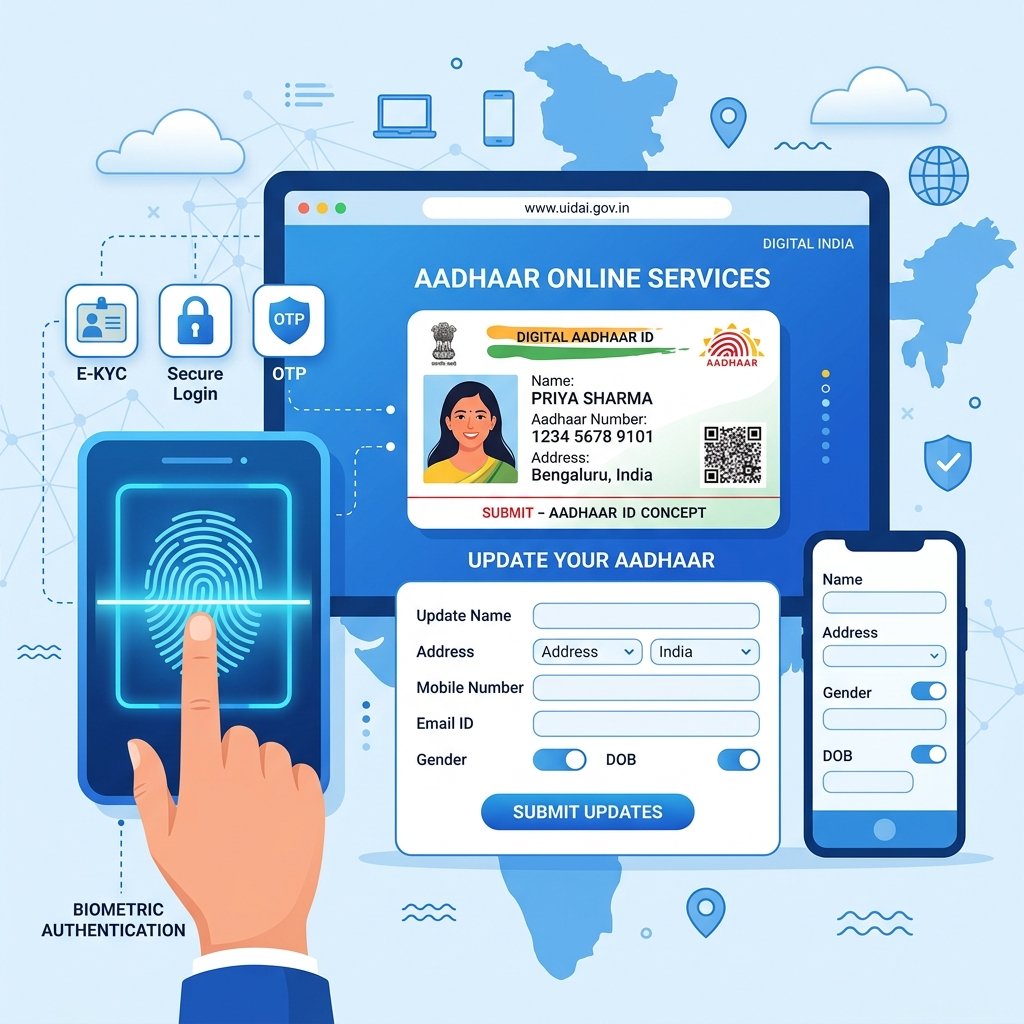
In today's digital age in India, the Aadhaar Card is the most crucial document for identity and address verification. Managed by the Unique Identification Authority of India (UIDAI), it is essential for everything from opening a bank account to availing government subsidies. Whether you are applying for a new Aadhaar card or need to correct details like your name, address, or mobile number, understanding the latest UIDAI processes is vital. This comprehensive 2026 guide will walk you through exactly how to create and update your Aadhaar Card online and offline seamlessly.
What is Aadhaar Card?
An Aadhaar Card is a 12-digit unique identity number issued voluntarily to the residents of India by the Unique Identification Authority of India (UIDAI). It serves as a centralized, universal, and legally recognized proof of identity and address across the country. It is linked to an individual's biometric data (fingerprints and iris scans) and demographic information, making it extremely difficult to duplicate or forge.
Important Note: Aadhaar is a proof of identity and residence, not a proof of citizenship.
Features of Aadhaar Card
- Uniqueness: No two individuals can have the same Aadhaar number.
- Portability: It is universally accepted across India.
- Random Number: The 12-digit number is randomly generated and does not capture any profiling information like caste, religion, or geography.
- Digital Verification: It can be instantly verified online, preventing fraudulent activities.
- Biometric Backing: Secured with 10 fingerprints, 2 iris scans, and a facial photograph.
Benefits of Aadhaar Card
- Direct Benefit Transfer (DBT): Receive LPG subsidies, scholarships, and pensions directly into your bank account.
- Banking & Finance: Essential for opening bank accounts, investing in mutual funds, and fulfilling KYC (Know Your Customer) requirements.
- Income Tax Return (ITR): Mandatory for filing income tax returns and linking with PAN.
- Passport Applications: Expedites the process of acquiring a passport.
- Digital India Services: Easy access to services like DigiLocker and e-Sign.
Who Can Apply for Aadhaar?
- Resident Indians: Any individual residing in India for at least 182 days in the 12 months immediately preceding the date of application.
- Non-Resident Indians (NRIs): NRIs holding a valid Indian passport can apply on arrival, without waiting for the 182-day period.
- Children & Infants: Minors of any age, including newborns, can be enrolled (known as Baal Aadhaar).
Documents Required for Aadhaar Enrollment
When applying for a new Aadhaar card, you must provide valid supporting documents. UIDAI categorizes these into four main types. Always check the official UIDAI website for the most recent list of approved documents.
Identity Proof (PoI)
Identity proof documents must contain your name and photograph. Common examples include: Passport, PAN Card, Voter ID, Driving License.
Address Proof (PoA)
Address proof documents must contain your name and current address. Examples include: Passport, Bank Statement or Passbook, Voter ID, Electricity, Water, or Gas Bill (not older than 3 months).
Date of Birth Proof (PoB)
Documents for verifying your exact date of birth include: Birth Certificate, SSLC Book/Certificate, Passport, PAN Card.
Relationship Proof (PoR)
Used mainly for enrolling children or spouses using the Head of Family (HoF) method: PDS Card (Ration Card), MNREGA Job Card, Marriage Certificate, Birth Certificate of the child.
| Document Category | Purpose | Common Examples |
|---|---|---|
| PoI (Proof of Identity) | Verifies Name & Photo | PAN Card, Voter ID, Passport |
| PoA (Proof of Address) | Verifies Current Residence | Utility Bills, Bank Passbook, Voter ID |
| PoB (Proof of Date of Birth) | Verifies Age | Birth Certificate, PAN, 10th Marksheet |
| PoR (Proof of Relationship) | Verifies Family Link | Ration Card, Marriage Certificate |
How to Create Aadhaar Card Offline
Creating a new Aadhaar card can only be done physically at an authorized Aadhaar Enrollment Centre, as it requires biometric data capture.
- Locate your nearest Aadhaar Enrollment Centre using the Bhuvan Aadhaar Portal.
- Download the Aadhaar Enrollment Form online or get one directly from the centre.
- Fill out the form with accurate demographic details.
- Attach photocopies of your PoI, PoA, and PoB documents.
- Visit the centre and submit the form along with the original documents for verification.
- The operator will capture your biometric data (facial photograph, fingerprints, and iris scan).
- Collect the acknowledgment slip containing your 14-digit Enrollment ID (EID).
How to Book Aadhaar Appointment Online
To save time and avoid long queues, you can book an appointment before visiting the centre.
- Visit the official UIDAI Appointment Portal.
- Select your City/Location.
- Enter your mobile number and authenticate via OTP.
- Choose "New Aadhaar" or "Aadhaar Update".
- Fill in your personal details and select a convenient time slot and date.
- Download or print the appointment slip to carry with you.
Aadhaar Enrollment Process
- Document Verification: The verifier will cross-check your original documents with the application form.
- Data Entry: The operator enters your demographic details into the UIDAI software.
- Biometric Capture: Your photo, 10 fingerprints, and 2 iris scans are recorded.
- Review: You will be asked to view the screen and confirm that all typed data is correct.
- Acknowledgment: You receive a printed acknowledgment slip.
Aadhaar Enrollment Fees
Tip: New Aadhaar Enrollment is completely FREE of cost across India.
How to Check Aadhaar Enrollment Status
- Go to the Check Aadhaar Status Page.
- Enter the 14-digit Enrollment ID (EID) from your acknowledgment slip.
- Enter the captcha code and click "Submit".
- The screen will display the status.
How to Download e-Aadhaar
Once generated, you can download a digital copy known as e-Aadhaar.
- Visit the e-Aadhaar Download Portal.
- Log in using your Aadhaar Number or EID, followed by a mobile OTP.
- Choose "Regular Aadhaar" or "Masked Aadhaar".
- Download the PDF. The password is the first four letters of your name in CAPITAL letters followed by your year of birth.
How to Print Aadhaar Card
You can print the downloaded e-Aadhaar PDF on normal paper. If you need a more durable copy, use tools like the Photo Editor or PDF Editor for formatting adjustments before printing on glossy paper.
How to Order Aadhaar PVC Card
UIDAI offers a secure, durable, and wallet-sized PVC Aadhaar card.
- Visit the Order Aadhaar PVC Card Page.
- Enter your Aadhaar Number and Security Code.
- Verify with OTP.
- Make a nominal online payment of ₹50.
- Note down the Service Request Number (SRN) to track delivery.
Aadhaar Update Overview
| Feature | Online Update (SSUP) | Offline Update (Aadhaar Centre) |
|---|---|---|
| What can be updated? | Address and Document Update only | Demographics & Biometrics |
| Mobile Linking Required? | Yes, mandatory for OTP | No |
| Convenience | High (from home) | Requires physical visit |
| Biometric Update | Not Possible | Possible |
Details That Can Be Updated in Aadhaar
- Demographic Data: Name, Address, Date of Birth (DoB), Gender, Mobile Number, Email ID, Relationship Status/Head of Family.
- Biometric Data: Iris, Fingerprints, Facial Photograph.
How to Update Aadhaar Address
- Log in to the myAadhaar Portal using your Aadhaar number and OTP.
- Click on "Update Aadhaar Online".
- Select "Address" and proceed to update.
- Enter your new address exactly as it appears on your supporting document.
- Upload a scanned copy of a valid Proof of Address (PoA).
- Pay the ₹50 online update fee.
How to Update Aadhaar Name
Name correction usually requires a visit to an Aadhaar centre. Minor corrections might be allowed online.
- Book an appointment or visit the nearest Aadhaar Centre.
- Fill the Aadhaar Update Form.
- Provide a valid Proof of Identity (PoI).
- Provide your biometrics for authentication and pay the fee.
How to Update Mobile Number & Email Address
Updating your mobile number or email cannot be done online. It requires biometric authentication at a centre. No documents are required for this specific update.
How to Update Date of Birth & Gender
Date of Birth and Gender can strictly be updated only once, subject to valid proof, at an Aadhaar centre.
Warning: Ensure your Proof of Birth document is completely accurate before applying.
Aadhaar Biometric Update
Biometric updates are mandatory for children when they reach 5 and 15 years of age. Adults may also need to update biometrics if their fingerprints wear out.
Aadhaar Update Charges
| Service / Update Type | Current Fee (₹) |
|---|---|
| Mandatory Biometric Update (Age 5 & 15) | FREE |
| Demographic Update (Online) | ₹50 |
| Demographic Update (Offline at Centre) | ₹50 |
| Biometric Update (Voluntary) | ₹100 |
| Biometric + Demographic Update | ₹100 |
| Aadhaar PVC Card Order | ₹50 |
Aadhaar Update Processing Time
| Service Request | Estimated Timeline |
|---|---|
| Demographic Update | 5 to 30 Days |
| Biometric Update | 10 to 30 Days |
| New Aadhaar Generation | Up to 30 Days |
| PVC Card Delivery | 5 to 15 Days after dispatch |
How to Check Aadhaar Update Status & Download
Visit the Update Status Page, and enter your URN (Update Request Number). Once completed, you can immediately download the updated e-Aadhaar PDF.
Aadhaar for Children (Baal Aadhaar)
Baal Aadhaar is a blue-colored Aadhaar card issued to children below 5 years of age without capturing biometrics.
Aadhaar Lock and Unlock Biometrics
To prevent misuse, UIDAI provides a feature to lock your biometrics online via the myAadhaar portal. When locked, your fingerprints and iris cannot be used for authentication.
Aadhaar Authentication History
You can check exactly when and where your Aadhaar was used in the past 6 months from the myAadhaar portal.
Verify Aadhaar & Recover Lost Aadhaar Number
Employers and landlords can verify an Aadhaar number to ensure it is genuine on the UIDAI website. If you lose your Aadhaar, you can retrieve it via the "Retrieve Lost or Forgotten EID/UID" option.
Aadhaar Linked Services
| Service Area | Purpose |
|---|---|
| Banking | e-KYC, Opening Accounts, AEPS |
| Telecom | Getting new SIM cards |
| Taxation | Mandatory PAN-Aadhaar linking |
| Welfare | PF Withdrawal, Pension, Ration |
Common Aadhaar Errors & Rejection Reasons
- Name Mismatch: Name on Aadhaar doesn't match PAN/Bank accounts.
- Address Proof Rejected: Submitting outdated utility bills.
- Data Mismatch: Details entered do not match uploaded documents.
- Limits Exhausted: Trying to change details more times than permitted.
Tips Before Visiting Aadhaar Centre & Security Tips
- Carry original documents.
- Book an online appointment.
- Never share your OTP with anyone.
- Use Masked Aadhaar when submitting copies at non-essential places.
- Do not download e-Aadhaar on public computers.
Frequently Asked Questions (FAQs)
1. Is it mandatory to link a mobile number with Aadhaar?
While not mandatory for holding a card, linking your mobile number is essential for availing online UIDAI services, OTP authentications, and downloading e-Aadhaar.
2. Can I update my mobile number online?
No, updating a mobile number requires a physical visit to an Aadhaar center for biometric authentication.
3. What documents are needed to update my mobile number?
No documents are required to update your mobile number or email ID.
4. How long does an Aadhaar update take?
Most demographic updates take 5 to 30 days. You can track the status using your URN.
5. How much does it cost to update my address online?
The online address update fee is ₹50, payable via debit/credit card or UPI.
6. Can I use a rental agreement as address proof?
Yes, a registered rent agreement is a valid proof of address for updating Aadhaar.
7. How many times can I change my name in Aadhaar?
UIDAI generally permits a name change twice in a lifetime.
8. Can I change my Date of Birth multiple times?
No, Date of Birth can strictly be updated only once, subject to valid proof.
9. What is a Masked Aadhaar?
Masked Aadhaar hides the first 8 digits of your Aadhaar number, showing only the last 4 digits for enhanced privacy.
10. Is e-Aadhaar equally valid as the physical card?
Yes, under the Information Technology Act, e-Aadhaar holds the same legal validity as the physical printed copy.
11. How can I format my Aadhaar PDF before printing?
You can easily adjust margins, crop, or enhance your documents using the free PDF Editor and Photo Editor tools.
12. What is Baal Aadhaar?
It is a blue-colored Aadhaar card issued for children under 5 years of age without biometric capture.
13. What should I do if my Aadhaar gets rejected?
Check the rejection reason using your URN. Re-apply by correcting the specific error.
14. Are there any fees for new Aadhaar enrollment?
No, enrolling for a new Aadhaar card is completely free of cost.
15. Can NRIs apply for Aadhaar?
Yes, NRIs with a valid Indian passport can apply for Aadhaar upon arrival in India.
16. How do I lock my biometrics?
You can lock your biometrics via the official myAadhaar portal.
17. What is an SRN?
SRN stands for Service Request Number, generated when you order a PVC card or apply for certain online updates.
18. Will I get a new Aadhaar number if I update details?
No, your 12-digit Aadhaar number remains the same for your entire life.
19. Where can I complain if a centre overcharges?
You can file a grievance on the UIDAI website or call the toll-free helpline 1947.
20. Do I need to verify latest fees and rules?
Yes, UIDAI policies change over time. Always verify the latest guidelines, fees, and document lists from the official UIDAI website.
Final Conclusion
Maintaining an updated and accurate Aadhaar card is non-negotiable for smooth access to banking, government schemes, and digital verification in India. Whether you are generating a new identity document or rectifying a small typo in your address, UIDAI has structured both online and offline avenues to make the process secure and efficient. By following this comprehensive 2026 guide, preparing the correct documents, and practicing good security habits like biometric locking, you can manage your Aadhaar effortlessly.
The information provided in this article is for educational and informational purposes only. While every effort has been made to ensure accuracy based on 2026 data, UIDAI rules, processes, processing times, and fees are subject to change. Readers are strongly advised to visit the official UIDAI website (uidai.gov.in) to verify the latest information before visiting an Aadhaar center or initiating online updates. RojgaarAlert is not responsible for any discrepancies or policy changes.